Showing posts with label sorting. Show all posts

Quick Sort in Java

Quick Sort in Java
In this tutorial we will discuss on of the most efficient and programmer's choice sorting called Quick Sort. Just like its counterpart sorting, Merge Sort, its also based on Divide and Conquer paradigm.

Just like merge() method is the key which merges the two equal halves in Merge Sort, Quick Sort has a method partition() which divides the list. This method places an element at its exact position in the list, and partition the list based on the index of the element. It continues to find the exact partition in the other two parts until all the elements are placed in its exact positions.

The algorithm can be summarized as below

quickSort(arr[], low, high)
{
    if (low < high)
    {
        /* pi is partitioning index, arr[pi] is now
           at right place */
        pi = partition(arr, low, high);

        quickSort(arr, low, pi - 1);  // Before pi
        quickSort(arr, pi + 1, high); // After pi
    }
}
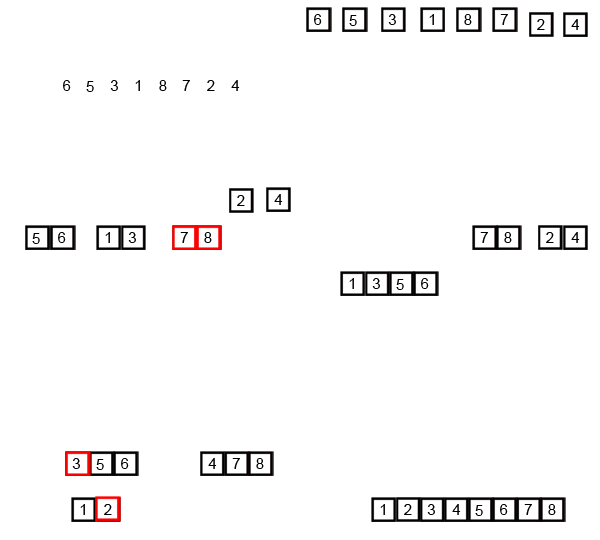
See the below image for better understanding
quicksort
Lets get hands on by writing a small Java code for Quick Sort.

import java.util.Arrays;

class QuickSort

{

    int partition(int arr[], int low, int high)

    {

        int pivot = arr[high];

        int i = (low-1);

        for (int j=low; j<high; j++)

        {

            if (arr[j] <= pivot)

            {

                i++;

                int temp = arr[i];

                arr[i] = arr[j];

                arr[j] = temp;

            }

        }


        int temp = arr[i+1];

        arr[i+1] = arr[high];

        arr[high] = temp;


        return i+1;

    }

    void mergeSort(int arr[], int low, int high)

    {

        if (low < high)

        {

            int pi = partition(arr, low, high);

            mergeSort(arr, low, pi-1);

            mergeSort(arr, pi+1, high);

        }

    }

    public static void main(String args[])

    {

        int arr[] = {10, 7, 8, 9, 1, 5};

        QuickSort qs = new QuickSort();

        System.out.println("Array before sort " + Arrays.toString(arr));

        qs.mergeSort(arr, 0, arr.length - 1);

        System.out.println("Array before sort " + Arrays.toString(arr));

    }
}

Analysis of Quick Sort

  • Time Complexity: O(nLogn) in all 3 cases (average and best) as merge sort always divides the array in two halves and take linear time to merge two halves.
  • Worst Case TC: O(n*n)
  • Worst Auxiliary Space: O(n)
  • Algorithmic Paradigm: Divide and Conquer
  • Sorting In Place: Yes
  • Stable: No


Hope you guys like it. Stay tune for more updates in sorting. Please comment for any doubts.
Happy Learning !!!
Merge Sort in Java

Merge Sort in Java
Till now we have discussed sorting algorithm which are though easy to code but are not really efficient when it comes to sorting a large set of objects e.g millions or billions of number. So we need some other algorithms we can be efficient in this case.
Till now the average time complexity of each sorting is O(n*n). Merge Sort has a complexity of O(nlog(n)) for average/worst case as well.

Merge Sort is based on divide and conquer algorithm. It divides the set in equal halves and sort each halves individually and then finally merge both the halves.

The algorithm can be summarized as below
MergeSort(arr[], left,  right)
If right > left
     1. Find the middle point to divide the array into two halves:  
             middle mid = (left+right)/2
     2. Call mergeSort for first half:   
             Call mergeSort(arr, left, mid)
     3. Call mergeSort for second half:
             Call mergeSort(arr, mid+1, right)
     4. Merge the two halves sorted in step 2 and 3:
             Call merge(arr, left, mid, right)
where merge() method is the key which merges the two equal halves assuming both are sorted.

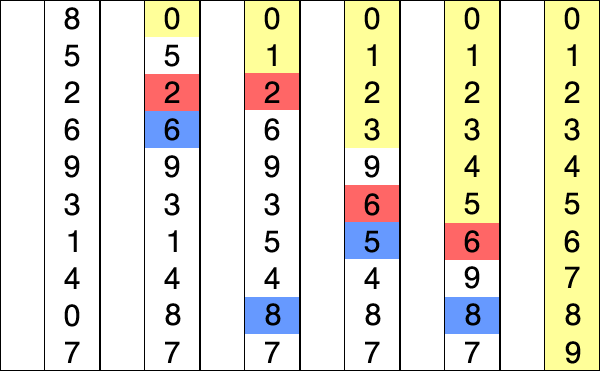
Lets look at the below GIF for a better pictorial representation of Merge Sort

Merge-sort-example-300px.gif

So lets get hands on with Merge Sort by writing a Java Program as below.

import java.util.Arrays;


class MergeSort

{

    void merge(int arr[], int left, int mid, int right)

    {

        int n1 = mid - left + 1;

        int n2 = right - mid;


        int L[] = new int [n1];

        int R[] = new int [n2];


        for (int i=0; i<n1; ++i)

            L[i] = arr[left + i];

        for (int j=0; j<n2; ++j)

            R[j] = arr[mid + 1+ j];


        int i = 0, j = 0;

        int k = left;

        while (i < n1 && j < n2)

        {

            if (L[i] <= R[j])

            {

                arr[k] = L[i];

                i++;

            }

            else

            {

                arr[k] = R[j];

                j++;

            }

            k++;

        }

        while (i < n1)

        {

            arr[k] = L[i];

            i++;

            k++;

        }

        while (j < n2)

        {

            arr[k] = R[j];

            j++;

            k++;

        }

    }


    void mergeSort(int arr[], int l, int r)

    {

        if (l < r)

        {

            int m = (l+r)/2;

            mergeSort(arr, l, m);

            mergeSort(arr , m+1, r);

            merge(arr, l, m, r);

        }

    }


    public static void main(String args[])

    {

        int arr[] = {12, 11, 13, 5, 6, 7};

        MergeSort ms = new MergeSort();


        System.out.println("Array before sort " + Arrays.toString(arr));

        ms.mergeSort(arr, 0, arr.length-1);

        System.out.println("Array before sort " + Arrays.toString(arr));

    }

}
//output
//Array before sort [12, 11, 13, 5, 6, 7]
//Array before sort [5, 6, 7, 11, 12, 13]
Analysis of Merge Sort
  • Time Complexity: O(nLogn) in all 3 cases (worst, average and best) as merge sort always divides the array in two halves and take linear time to merge two halves.
  • Auxiliary Space: O(n)
  • Algorithmic Paradigm: Divide and Conquer
  • Sorting In Place: No in a typical implementation
  • Stable: Yes
Hope you like it. Stay tune for more interesting sorting algorithms.
Happy Learning !!!

Selection Sort in Java

Selection Sort in Java


Today we will discuss yet another sorting algorithm which also falls among the simplest and used heavily in beginner's level.
Selection Sort as the name suggests is based on the logic of finding the smallest elements among the compared elements in its phase.

Let me make it more clear by an example.

If given numbers are 2,5,3,4,1, in the first phase the smallest among the 5 numbers i.e 1 will be found and placed in the 1st position. In second phase we will compare the others elements and smallest among them i.e 2 will be placed in 2nd position. Like wise after the 5th phase all the 5 elements all being sorted.

You can also have a look on the below GIF for better understanding.


Let get hands on by writing a simple Java program to sort elements using Selection Sort.

import java.util.Arrays;

public class SelectionSort {

 public static void main(String[] args) {
        
        int arr[] = {12, 11, 13, 5, 6};
 
        SelectionSort ss = new SelectionSort();  
        System.out.println("Array before sort " + Arrays.toString(arr));
        ss.sort(arr);
        System.out.println("Array after sort " + Arrays.toString(arr));

 }

 private void sort(int[] list) {
  //First loop to change the index number
  for (int i = 0; i < list.length - 1; i++) {        // the last item doen't need to do the loop to compare
   // set the first item as index number
   int currentMin = list [i] ;
   int currentMinIndex = i;
   // second loop to do comparison with the number after it
   for (int j = i + 1; j < list.length; j++) { 
    // if there's number (that locates behind the index number) bigger than the index number
    if (currentMin > list [j] ) {

     // change the currenMin value to the new min number
     currentMin = list [j] ;

     // change the index
     currentMinIndex = j ;
    }
   } 
   // swap the value of the index number with the new min number
   if (currentMinIndex != i) {
    list [currentMinIndex] = list [i] ; 
    list [i] = currentMin ;
   }
  }
 }
}
Analysis of Selection Sort
  • Worst and Average Case Time Complexity: O(n*n). 
  • Best Case Time Complexity: O(n*n). Best case occurs when array is already sorted.
  • Auxiliary Space: O(1)
  • Sorting In Place: Yes
Hope you like it. Please stay tune as we will discuss some more interesting and efficient sorting algorithms in coming tutorial. Please comment on any doubts.

Happy Learning !!!

Insertion Sort in Java

Insertion Sort in Java
Insertion Sort is also one of the few simplest and easy sorting available like Bubble Sort.
The technique used here is the technique we use while playing cards. The way we pick cards from deck and arrange each card inserting each one in its position while we hold the cards in hand. That's how the name is derived from - "insertion".


Insertion Sort

Let us see the explanation of this sorting with the below gif.
Taking one element at a time we will place the elements in its position comparing each element till we find its perfect position.
Just Like Bubble sort, Insertion sort also uses two loops. First loop picks elements one by one, in second loop the element picked is compared and placed in its suitable position.


Let get hands on by writing a Java code for it.

import java.util.Arrays;

class InsertionSort
{
    void sort(int arr[])
    {
        for (int i=1; i < arr.length; ++i)
        {
            int key = arr[i];
            int j = i-1;
            while (j>=0 && arr[j] > key)
            {
                arr[j+1] = arr[j];
                j = j-1;
            }
            arr[j+1] = key;
        }
    }
 
    public static void main(String args[])
    {        
        int arr[] = {12, 11, 13, 5, 6};
 
        InsertionSort is = new InsertionSort();  
        System.out.println("Array before sort " + Arrays.toString(arr));
        is.sort(arr);
        System.out.println("Array after sort " + Arrays.toString(arr));
    }
}
//output
//Array before sort [12, 11, 13, 5, 6]
//Array after sort [5, 6, 11, 12, 13]
Analysis of Insertion Sort


  • Time Complexity: O(n*n)
  • Auxiliary Space: O(1)
  • Boundary Cases: Insertion sort takes maximum time to sort if elements are sorted in reverse order. And it takes minimum time (Order of n) when elements are already sorted.
  • Algorithmic Paradigm: Incremental Approach
  • Sorting In Place: Yes
  • Stable: Yes
Uses: Insertion sort is used when number of elements is small. It can also be useful when input array is almost sorted, only few elements are misplaced in complete big array.

Hope you like it. Stay tune for discussion for other sorting algorithms. Please comment for any doubts.
Happy Learning !!!

Bubble Sort in Java

Bubble Sort in Java
Here we will discuss the most simplest sorting algorithm Bubble Sort which works repeatedly swapping of the adjacent elements if they are in wrong order.

The logic in Bubble Sort is to sort the elements pass by pass.
In each pass the elements are placed in its perfect positions starting from the last i.e the largest element is placed as the last element in the list in the 1st pass. Similarly, the second largest element is placed as the second last element in the element in 2nd pass, and so on.


Image result for bubble sort

As you can see (above fig.) in each pass higher elements are getting sorted first and elements looks like bubbling for one place to other, hence the name Bubble Sort.

Lets gets hands on with the algorithm by writing a Java code.
import java.util.Arrays;


public class BubbleSort {

 public static void main(String[] args) {
  int [] array = {5,2,1,7,4,9};
        System.out.println(Arrays.toString(array));
        bubbleSort(array);
        System.out.println(Arrays.toString(array));
        
 }
 private static int[] bubbleSort(int[] array) {
  for(int i = 0; i < array.length -1 ; i++){
   for(int j = 0; j < array.length - (1+i) ; j++){
    if(array[j] > array[j+1]){
     int temp = array[j+1];
     array[j+1] = array[j];
     array[j] = temp;
    }
   } 
  }
  return array;
 }

}
//output
//[5, 2, 1, 7, 4, 9]
//[1, 2, 4, 5, 7, 9]
Here sorting is for descending order. As you can see we have two loops.
One for loop is for the pass. The other for loop compares each adjacent element starting from the 0th position and swap whenever it's
array[j] > array[j+1]
So in each pass we are putting the higher elements one by one in the last.
with each pass the number of comparisons also decreases as you can see from the line
j < array.length - (1+i) 
i is incrementing thereby the traversal in second loop decrease by 1 in each pass. This is obvious because we have already placed the right elements in previous passes so no need to compare those elements.

Analysis of Bubble Sort
  • Worst and Average Case Time Complexity: O(n*n). Worst case occurs when array is reverse sorted.
  • Best Case Time Complexity: O(n). Best case occurs when array is already sorted.
  • Auxiliary Space: O(1)
  • Boundary Cases: Bubble sort takes minimum time (Order of n) when elements are already sorted.
  • Sorting In Place: Yes
  • Stable: Yes


Hope you like it. Stay tune as we will discuss and explain other interesting sorting algorithms in coming tutorial. Please comments for any doubts.

Happy Learning !!!
Introduction to Sorting, types of Sorting Algorithms

Introduction to Sorting, types of Sorting Algorithms
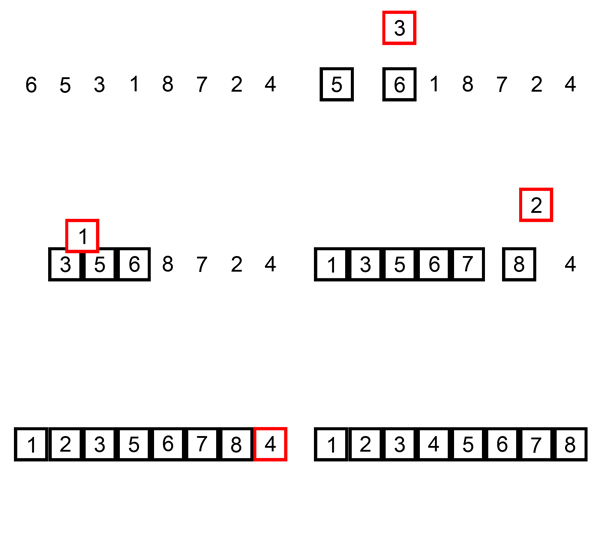
Sorting, as the name suggest, is use to arrange a series of data type (in computer science language) in either ascending or descending  order given the choice.

Data Type can be anything of integer, character, string or can be an object type itself.

Example:
Input : 3, 5, 1, 7, 9, 2
Output : 1, 2, 3, 5, 7, 9 (Ascending)

Input : 3, 5, 1, 7, 9, 2
Output : 9, 7, 5, 3, 2, 1 (Ascending)

In either case we have performed a sorting operation on a set of given numbers.

Sorting Techniques 

Based on situations (Time Complexity, Space Complexity, ease to use) we can use different techniques for sorting a given set. All techniques have their own pros and cons.
Some very common type sorting algorithms used in Computer Science are :
  • Bubble Sort
  • Insertion Sort
  • Selection Sort
  • Merge Sort
  • Quick Sort
  • Heap Sort (for Tree Data Structures)
We will be discussing these sorting techniques in our next tutorials until then stay tune.

Hope you like it. Please comments for doubts.
Happy Learning !!!


how to sort Values in hashmap in java

Values Sorting of hashmap in java
SOURCE : HasMapSort.java


import java.util.ArrayList;
import java.util.Collections;
import java.util.Comparator;
import java.util.HashMap;
import java.util.Map;
import java.util.Map.Entry;

public class HasMapSort {

public static void main(String[] args) {

HashMap hmap = new HashMap<>();

hmap.put("sandy",34);
hmap.put("andy",94);
hmap.put("Aandy",78);
hmap.put("ndy",67);
hmap.put("gahdhj",4);
hmap.put("phdb",676);

ArrayList> entries = new ArrayList<>(hmap.entrySet());

Collections.sort(entries,new Comparator>() {

@Override
public int compare(Entry o1, Entry o2) {

return o1.getValue().compareTo(o2.getValue());
}
});

for(Map.Entry hm : entries){
System.out.println(hm);

}
}

}


INPUT

map = {Aandy=78, ndy=67, gahdhj=4, phdb=676, sandy=34, andy=94}


OUTPUT

gahdhj=4
sandy=34
ndy=67
Aandy=78
andy=94
phdb=676


Sandeep Kumar D

Hi, I have written and developed this post so that most of people will be benefited. I'm committed to provide easy and in-depth tutorials on various technologies.I hope it will help you a lot.

- Sandeep Kumar D

Follow Me @Google+


how to sort Key in hashmap in java

Key Sorting of hashmap in java
SOURCE : HasMapSort.java


import java.util.ArrayList;
import java.util.Collections;
import java.util.Comparator;
import java.util.HashMap;
import java.util.Map;
import java.util.Map.Entry;

public class HasMapSort {

public static void main(String[] args) {

HashMap hmap = new HashMap<>();

hmap.put("sandy",34);
hmap.put("andy",94);
hmap.put("Aandy",78);
hmap.put("ndy",67);
hmap.put("gahdhj",4);
hmap.put("phdb",676);

ArrayList> entries = new ArrayList<>(hmap.entrySet());

Collections.sort(entries,new Comparator>() {

@Override
public int compare(Entry o1, Entry o2) {

return o1.getKey().compareTo(o2.getKey());
}
});

for(Map.Entry hm : entries){
System.out.println(hm);

}
}

}


INPUT

map = {Aandy=78, ndy=67, gahdhj=4, phdb=676, sandy=34, andy=94}


OUTPUT

Aandy=78
andy=94
gahdhj=4
ndy=67
phdb=676
sandy=34


Sandeep Kumar D

Hi, I have written and developed this post so that most of people will be benefited. I'm committed to provide easy and in-depth tutorials on various technologies.I hope it will help you a lot.

- Sandeep Kumar D

Follow Me @Google+
